After installation
Daily use
Once the wizard has been completed the service runs on its own: it fetches the bulletin at the scheduled time, writes the rates and records the run. In normal operation nobody needs to look at the screen — the panel exists for checking, for a manual run, and for undoing a run that went wrong.
Signing in
The panel is opened from the machine it is installed on, at
http://127.0.0.1:<port>. The port chosen during installation is in
C:\ERP\TcmbKur\listen-url.txt. If the password has been lost, see
Password reset.
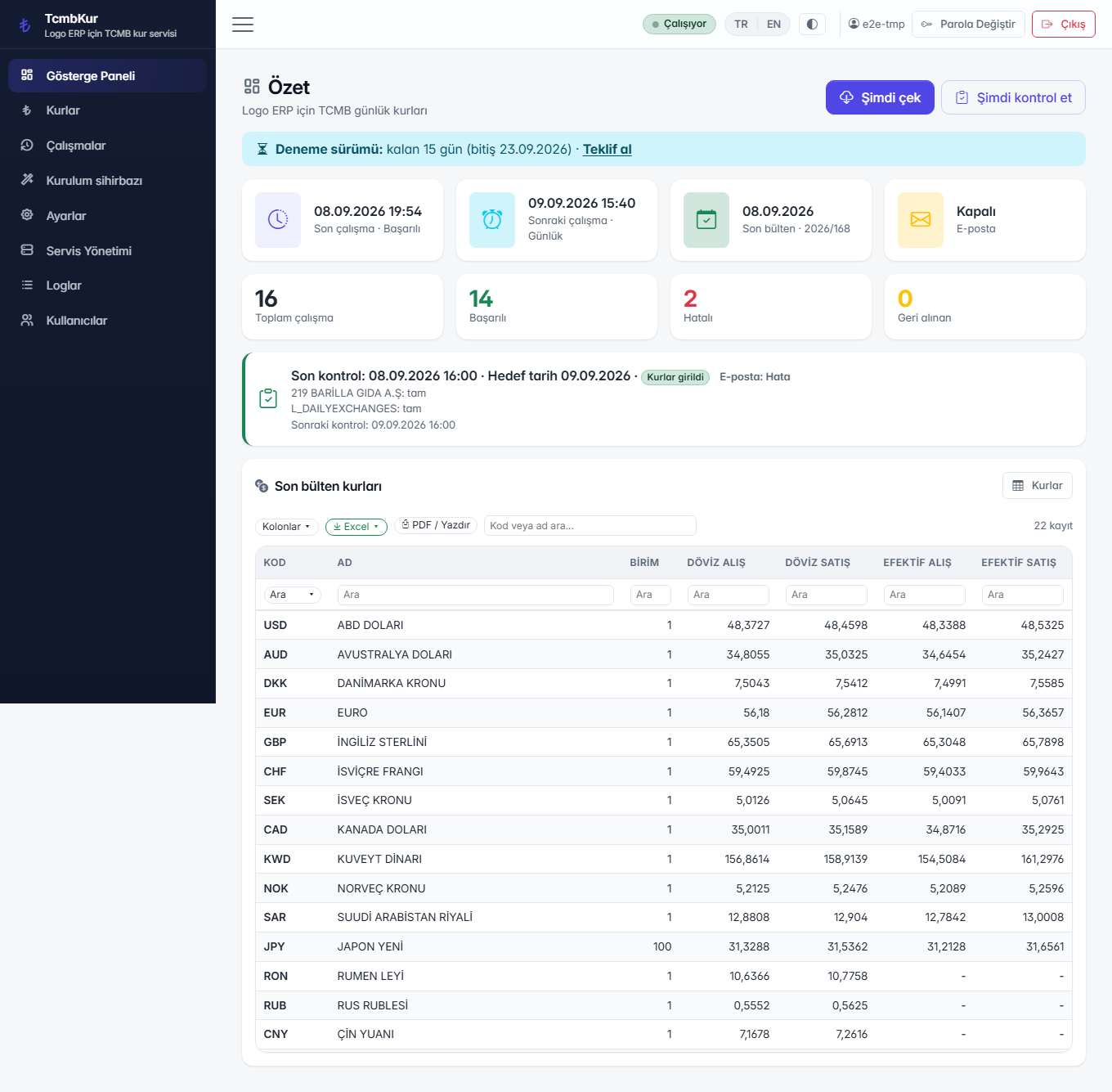
Dashboard (/)
The opening screen answers three questions without any clicking: when were rates last written, when is the next run due, and is the service up. If any of the three looks wrong, the rest of this page tells you where to look.
The TCMB bulletin calendar
The Central Bank publishes its rate bulletin every business day at 15:30, and that bulletin is valid for the next business day.
So target day D uses the D-1 bulletin. A rate written for 10.09.2026 comes from the bulletin dated 08.09 or 09.09 — this is not a mistake, it is how TCMB publishes. If the day in between is a holiday, the calendar walks back further.
- Back-walk: if there is no bulletin for the expected day, up to 10 days back are searched by default.
- Early-fetch protection: on by default. It prevents an incomplete bulletin being written before the publication hour.
- Coverage: 22 currencies; XDR is excluded by default because it is not a currency Logo transacts in.
- Divide by unit: rates quoted per 100 units (the Japanese yen, for example) are converted to the per-unit form Logo expects.
The Rates screen (/kurlar)
This is the archive of everything that has been fetched and written. It opens on a date range rather than the whole history, because the table only ever grows; you can widen the range whenever you need to.
"All" is a deliberate choice, not the opening default. The active range is always visible on the screen, so a filtered view is never mistaken for the full picture.
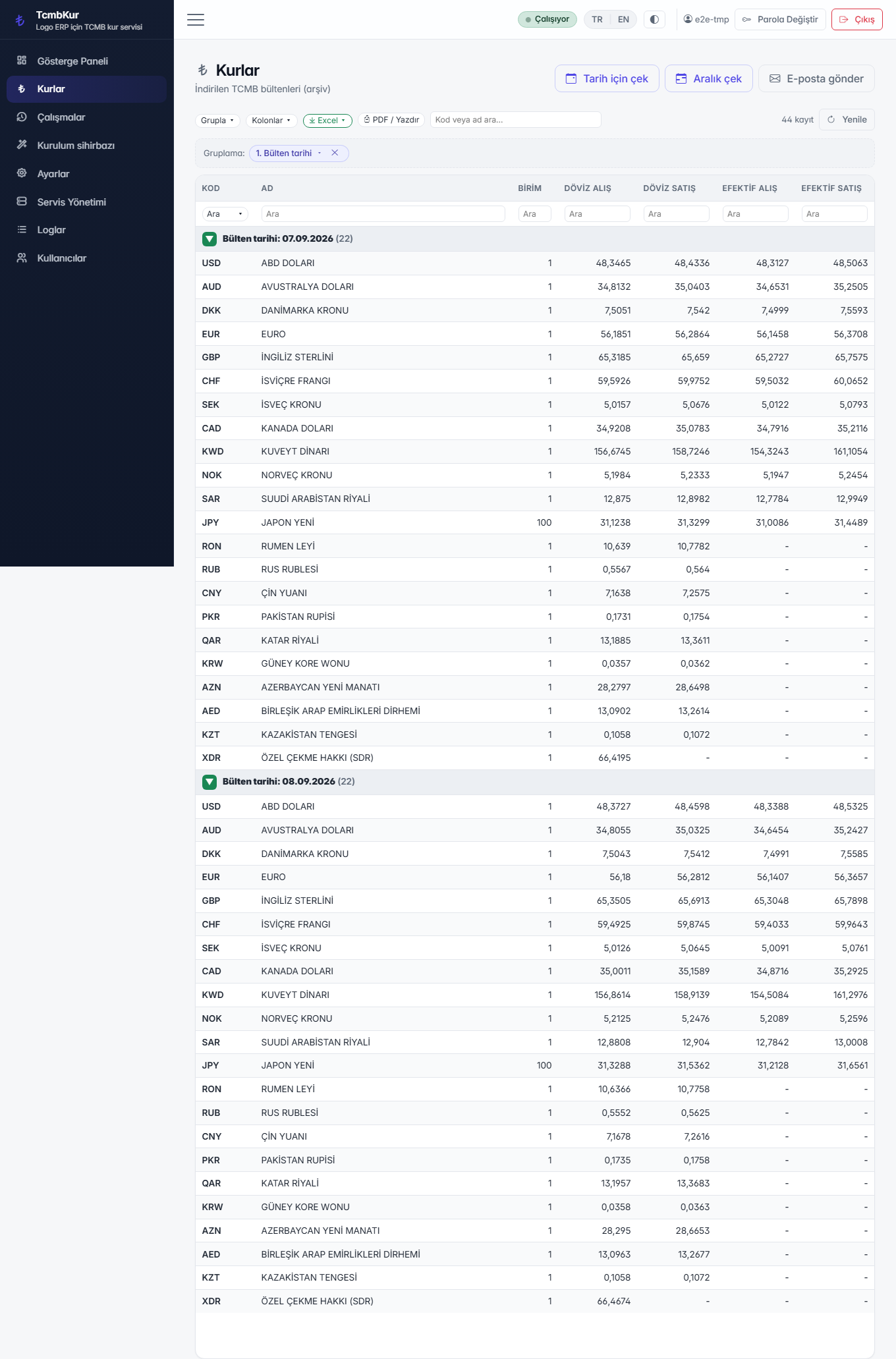
If a day is missing — the machine was off, the network was down — you can fetch it for a chosen past date. You pick the day the rates should belong to; the application finds the right bulletin for it. You do not do the date arithmetic.
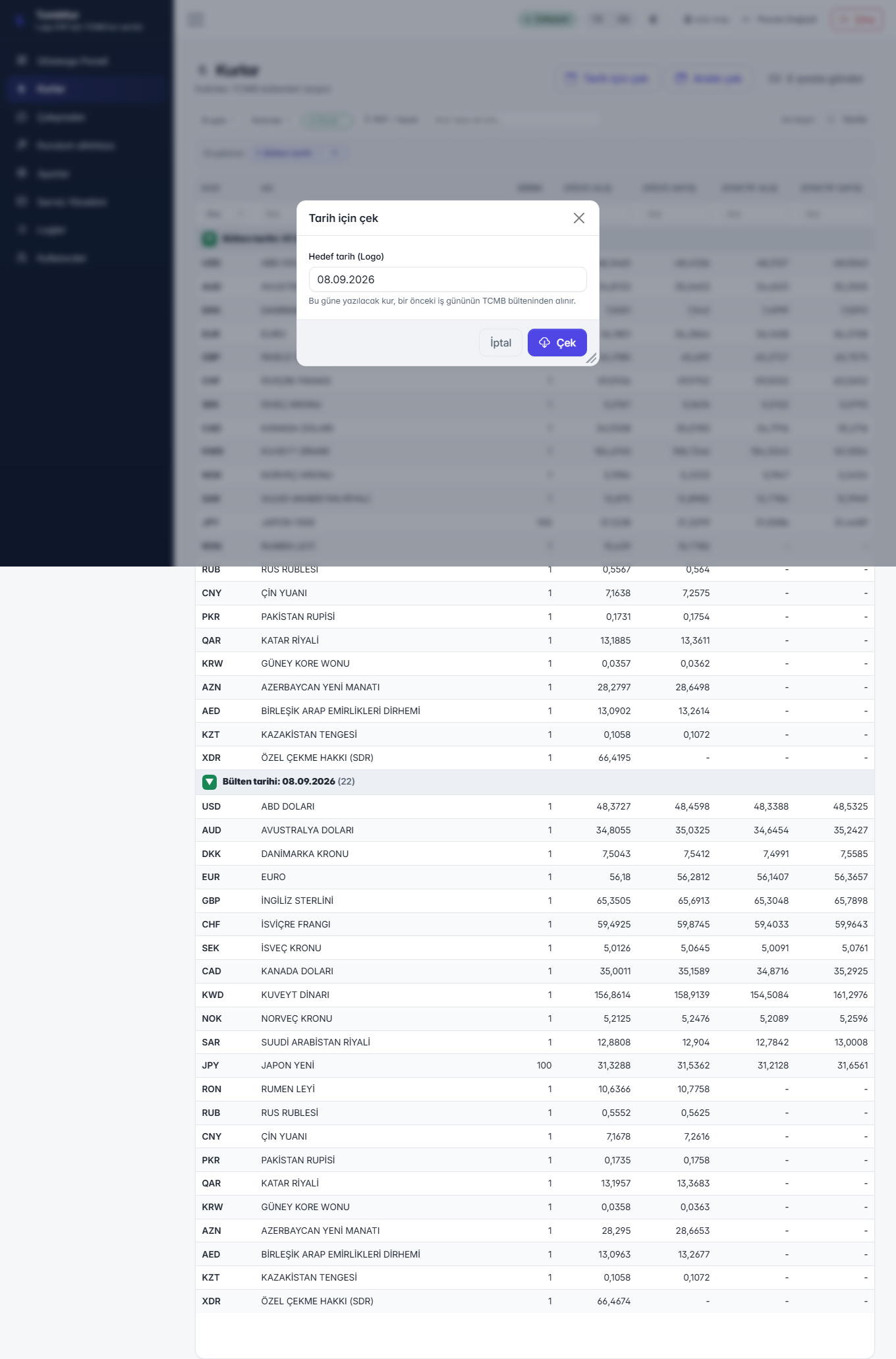
Logo rate fields — RATES1..4
Logo keeps four rate fields on each exchange-rate row. Which quotation goes into which field is chosen during setup; the default mapping is:
| Logo field | Quotation | TCMB |
|---|---|---|
| RATES1 | Foreign exchange buying | DA |
| RATES2 | Foreign exchange selling | DS |
| RATES3 | Banknote buying | EA |
| RATES4 | Banknote selling | ES |
Rate 1 is the active rate Logo uses in transactions. Invoices and vouchers read that field. Talk to accounting before changing the mapping: writing the selling rate into RATES1 silently changes the rate on every document.
The write mode is also chosen during setup: insert only leaves an existing row
untouched, update and insert refreshes it. Writing to
L_DAILYEXCHANGES and marking rows APPROVE=1 are optional and
depend on how the customer works.
Rows that were changed by hand are left alone. If somebody typed a rate into Logo themselves, the service does not overwrite it.
Runs and undo (/calismalar)
Every fetch-and-write is recorded as a run: when it started, which bulletin it used, how many rows it wrote, which companies it touched and whether it failed. This record is the ground a support conversation stands on — "it did not work today" becomes a row you can look at.
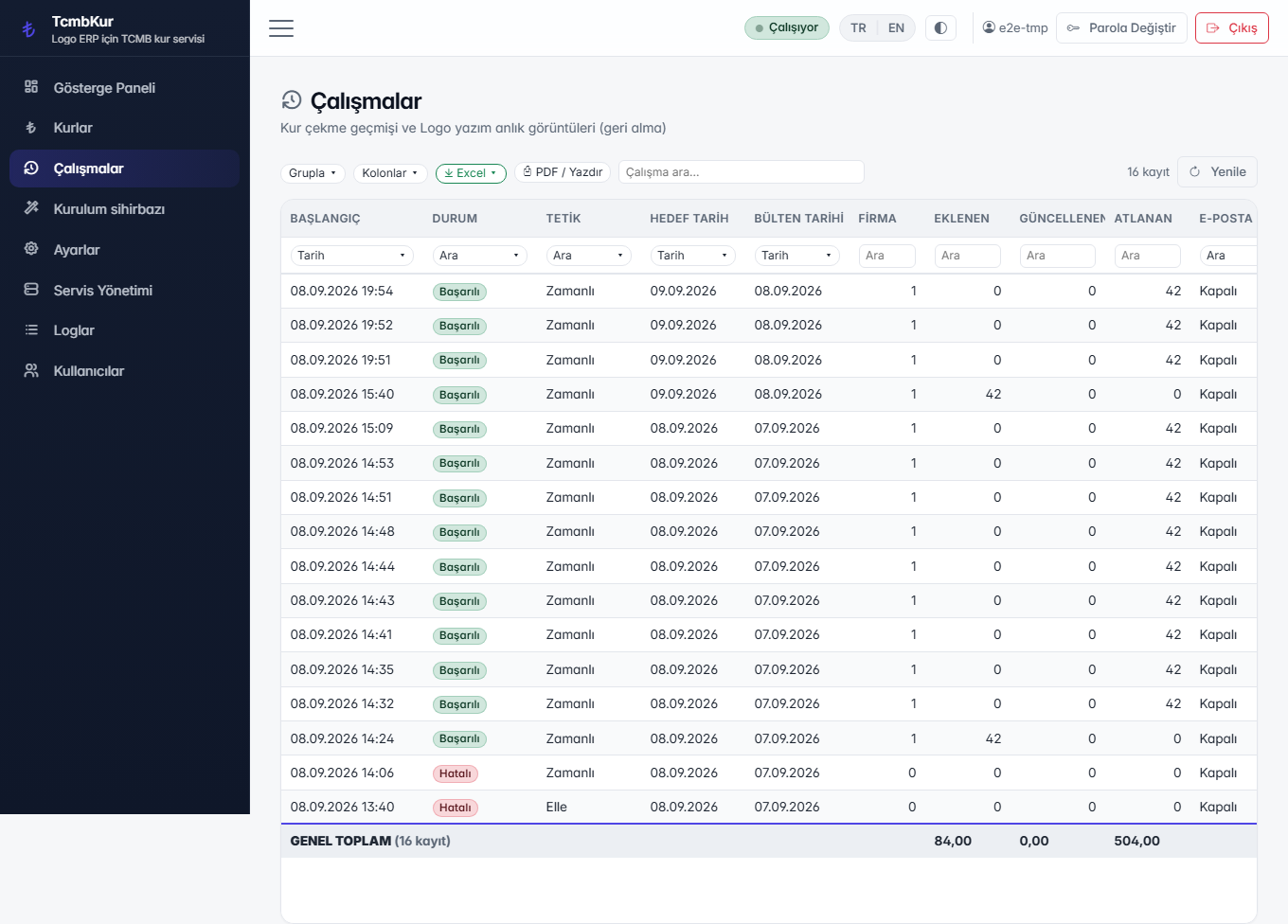
Undo works per run. It reverts only the rows that run wrote, not the day as a whole, and it asks for confirmation first. A run whose rows were later changed by hand leaves those rows alone.
The kind of result is written on the row itself. “No bulletin” (TCMB published none that day — the product did its job), “TCMB unreachable” (network, proxy or firewall), “Licence”, “Configuration” and “Error” are shown separately instead of collapsing into one red line.
Checking the rates in Logo (/logo-kurlar)
The Runs screen is the product's own ledger: it says “I wrote these rates”. This screen looks at Logo instead and puts the two sides next to each other — the rate in the product's archive and the value that actually sits in the Logo tables. “Did it reach Logo?” is answered without running a database query.
The screen opens on a date range (default: this month), can be filtered by company and can
show the shared rate table (L_DAILYEXCHANGES); per-company tables are named
LG_EXCHANGE_XXX. Every row carries exactly one state:
| State | Meaning | What to do |
|---|---|---|
| Written | The value in Logo matches what the product wrote. | — |
| Value differs | The row exists but holds a different value (edited by hand, or written by another tool). | Look at the difference; re-fetch that day if needed. |
| Not written | The product has the rate in its archive, but Logo has no row. | Check that day's result on the Runs screen. |
| Not in the archive | Logo has a row the product never fetched. | The row came from another source. |
| Not defined in Logo | The currency is not defined in Logo, so there is nowhere to write it. | Define the currency in Logo. |
The “only problems” switch leaves just the rows that need you. The screen is read-only — it never writes to Logo — so it also opens for an account without write permission.
Service, logs and users
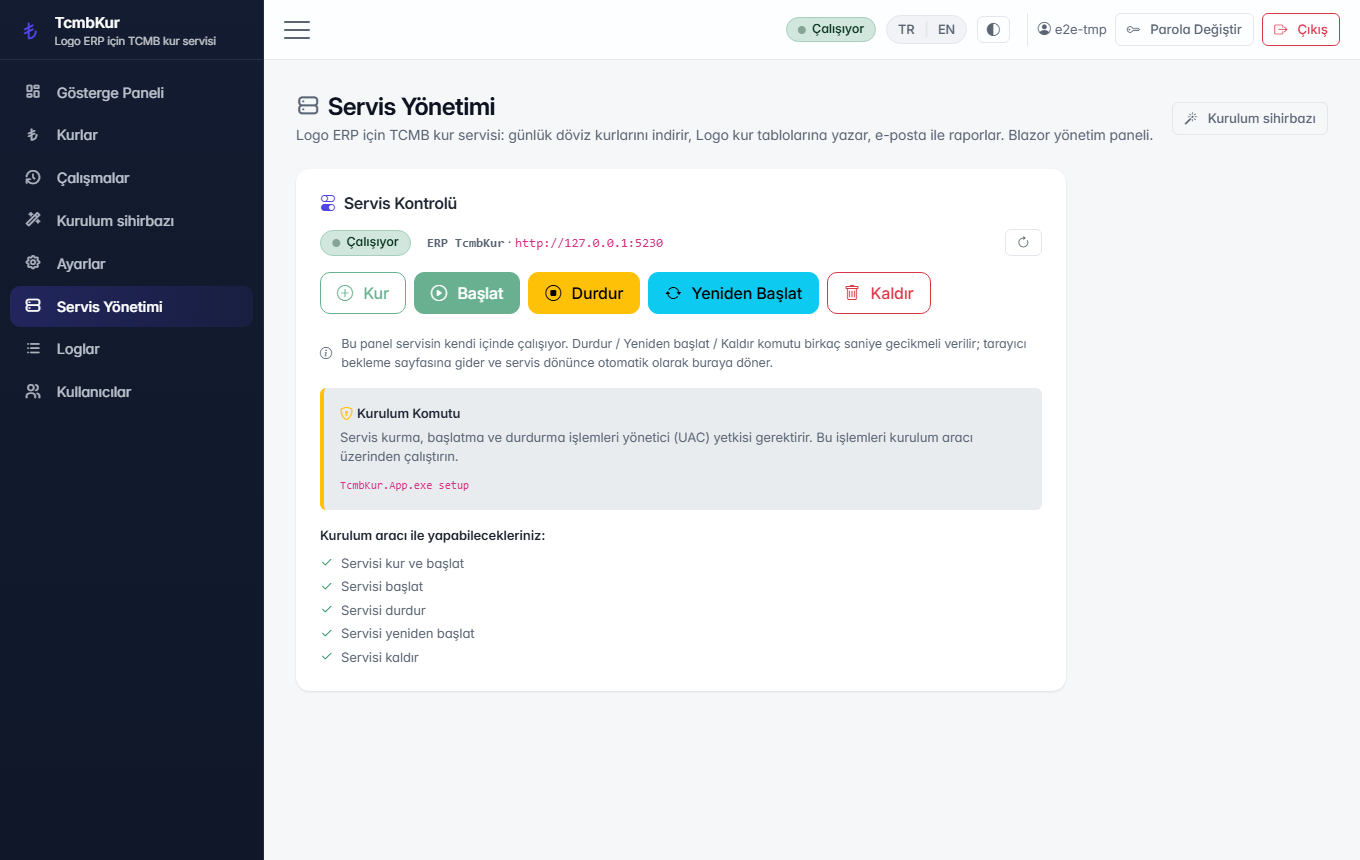
Service (/service)
Shows whether the Windows service is running and lets you stop and start it without leaving the panel. The same thing can be done from the command line — see Service, health and logs.
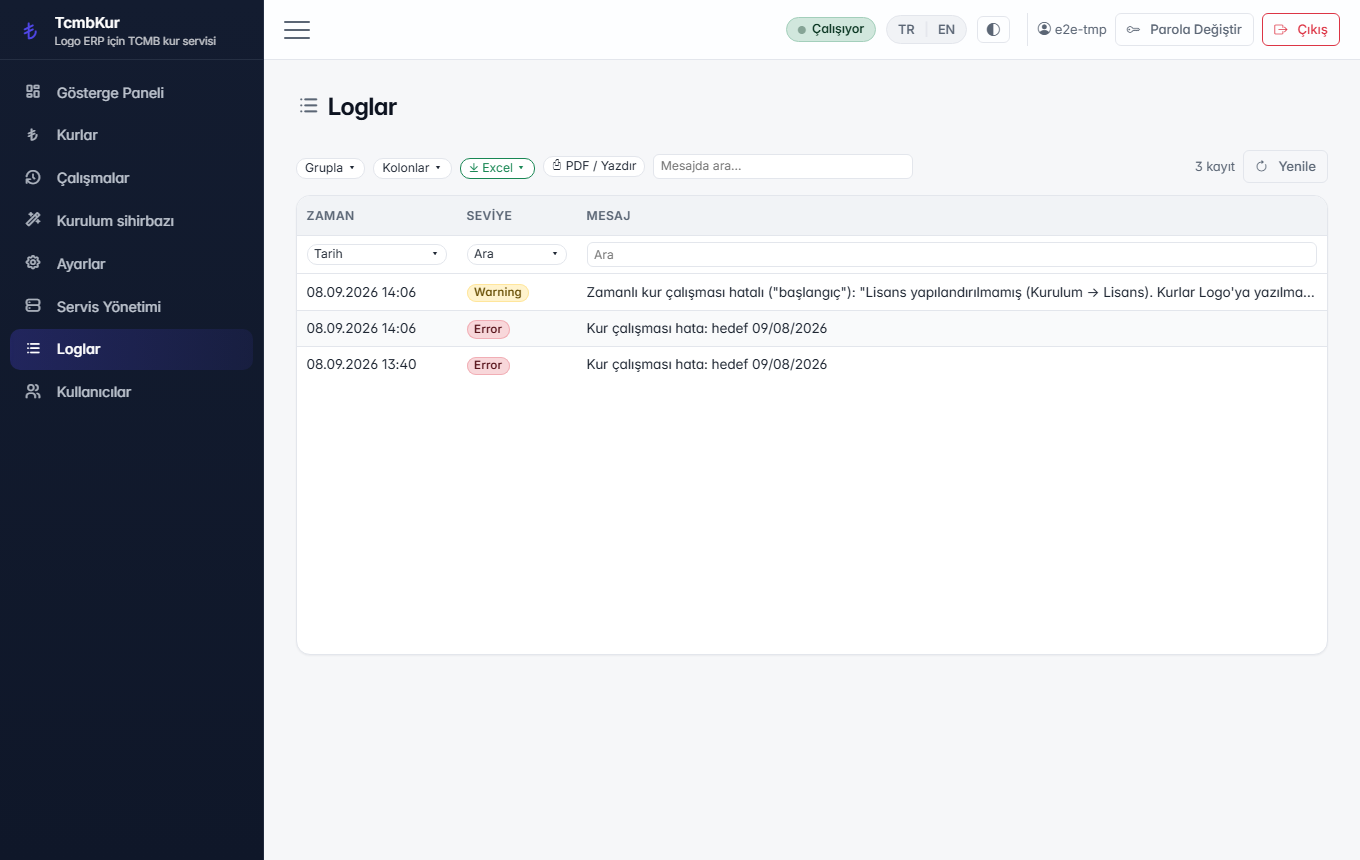
Logs (/logs)
The daily log files are read from the panel, so nobody has to open the folder on the server. The last 14 files are kept; older ones are deleted automatically.
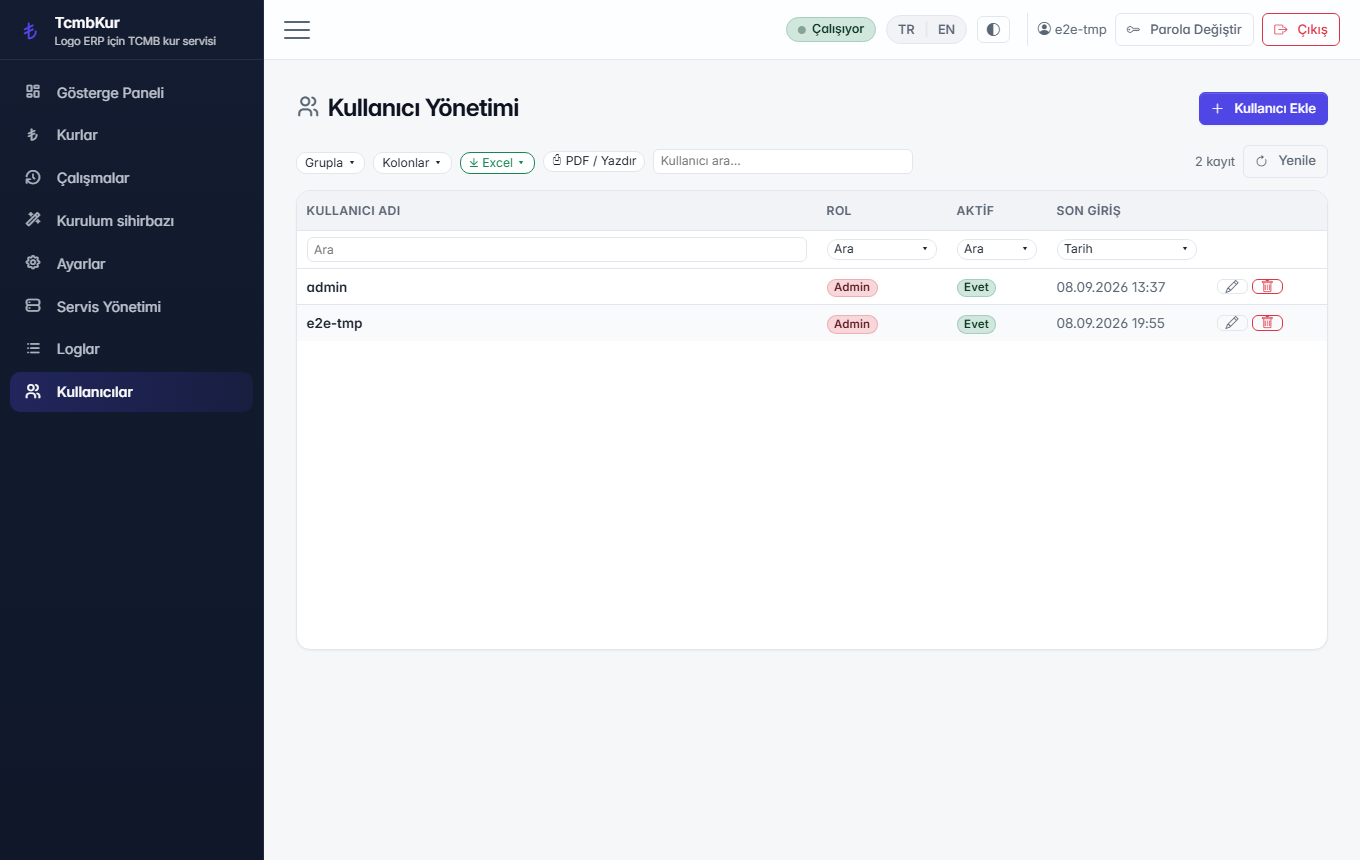
Users (/users)
Everyone who uses the panel gets their own account. One shared login is not the intended arrangement: the run record names who triggered a manual fetch or an undo, and that is only useful if the name means a person.